
How-To
Try a tool, then automate the task.
Start with a web form and sample input. For an agent, the manifest lists available server execution and client modules. Check the tool’s mode and schema before sending data.
Quick start
Open a tool from the directory, review its input fields and execution label, then run a small sample. Tools do not require a site account or API key. Server and security rate limits still apply.
Step-by-step
-
Fetch the tool manifest
Get the latest tool catalogue from the public API endpoint. -
Load the JavaScript module
If the entry providesclientModuleandexecFunction, inspect and import the module. Otherwise use the server API example on its page. -
Execute the tool function
Supply the documented inputs. A server API call sends those inputs to the site; a client module uses its own browser and network capabilities. -
Handle the result locally
Review the output, then copy or download it where offered. Check important results independently before using them.
Code example
Here's a complete example for an AI agent to call a tool:
// 1. Fetch the manifest
async function useTool(toolName, inputData) {
  const response = await fetch('https://itsfullyonline.yunusemrevurgun.com/api/manifest.json');
  const manifest = await response.json();

  // 2. Find the tool
  let tool = null;
  for (const category of manifest.categories) {
    const found = category.tools.find(t => t.apiName === toolName);
    if (found) { tool = found; break; }
  }
  if (!tool) throw new Error('Tool not found');

  if (!tool.clientModule) throw new Error('Use this tool’s documented server API instead');

  // 3. Load the module
  const moduleUrl = 'https://itsfullyonline.yunusemrevurgun.com' + tool.clientModule;
  const mod = await import(moduleUrl);

  // 4. Execute the function
  const start = performance.now();
  const result = await mod[tool.execFunction](inputData);
  const duration = performance.now() - start;

  return { result, meta: { executionTime: duration } };
}

// Usage:
const output = await useTool('word-char-counter', { text: '  Hello  World  ' });
console.log(output);
Input & output schemas
Each tool in the manifest includes input and output schemas:
- inputSchema: defines expected parameters, types, and requirements
- outputSchema: describes the structure of returned data
Read the fields on the tool page as well: manifest detail varies by tool. Check required values, units and accepted formats before making an automated call.
Execution and compatibility
Choose the path that fits your task and data:
- Server calls send your input for processing; browser forms can use a server fallback.
- Page and asset requests produce hosting and security metadata. See privacy details.
- Canvas, Web Crypto, audio, location and GPU tools depend on browser support; some need HTTPS or permission.
- A headless browser can supply browser APIs that a plain Node.js runtime does not provide. Large files may exceed memory or server limits.
The agents behind the calls
 8:50
Video · 8:50
AI Agents 2026: Grok Bot, Muse, Dots, OpenClaw, Hermes
When software has no clean API, agents click through pages instead. Five that do, compared: Grok Bot, Muse, Dots, OpenClaw, Hermes.
Watch →
Also by It’s Fully Online

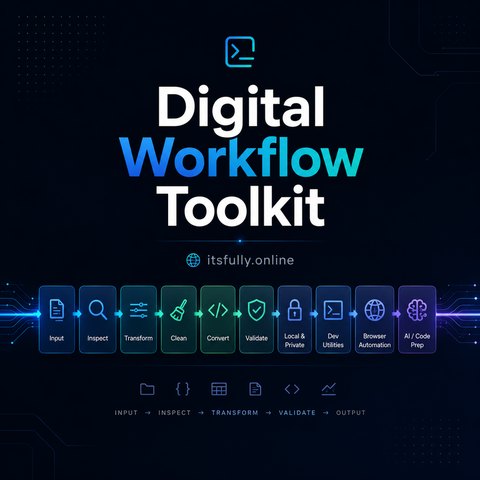
 You know the tools — now the operator
How to Remain Valuable When Intelligence Becomes Cheap: the human, economic, and strategic advantages that stay scarce when AI does the work. 224 pages.
$3.84 →
Before you rely on a tool
Are the tools free? Do I need to register?
The tools are available without a site account or API key. Books and toolkits are separate products; their links open Gumroad for current prices and purchase details.
Does my input leave my browser?
It depends on the tool and the way you call it. Server forms and API calls send input to the site. Browser forms normally use the local engine and can fall back to the server. Network lookups and permission-based features have additional requirements. Check the label and source before using sensitive data.
Why does a tool fail in my browser or agent runtime?
Check the required fields and file format, try a smaller sample and look for a browser permission request. Some tools need browser APIs that Node.js does not supply. For a server error, wait and retry; keep a copy of your input before reloading.
Can I rely on a security, math or AI result?
Use the output as an aid and inspect the method. Heuristics, estimates and simplified calculations can miss cases. Compare important results with a trusted reference or a known sample.
Need help?
Check the input fields and published guides, or contact the creator through his site. Include the tool URL, browser, error and a non-sensitive example; do not send passwords, tokens or private files.